Offload remembers it for you.
Save anything once. Forget about it. Find it by asking naturally whenever you need it.


The problem isn't forgetting. It's having too much to remember.
Every day you tell yourself, “I'll remember that.”
A recommendation from a friend. An idea at midnight. A bill due next week. A parking spot. A great article you'll read later.
One by one they're easy to remember. Together they become mental clutter.
- Too much to rememberEvery thought stays open.
- “I know I saved it somewhere...”The search starts from zero.
- Losing good ideasGone before you capture them.
- Forgetting little thingsSmall details, real consequences.
- Missing important deadlinesOne more thing to keep active.
- Constant mental loadYour brain becomes the backup.
Life happens everywhere.
Offload works in all of it.
Good ideas, tips, and things worth remembering show up all day long-in a reel, a group chat, an article, or a random thought on a walk. You don't have to decide where they go. Just send it to Offload and ask for it whenever you need it.
 offload
Mia is going to Europe on 10 November.
- Remind me
- 9 Nov · 1:45 PM (12h before)
- Flight
- AF 225 · Terminal 3
- Departure
- 10 Nov · 1:45 AM
From things you saved earlier:
- Apply for fast-track immigration
- Buy a compact tripod for travel reels
- Download offline maps
offloadWhat can I make for a quick breakfast?
I found these across your saved memories:
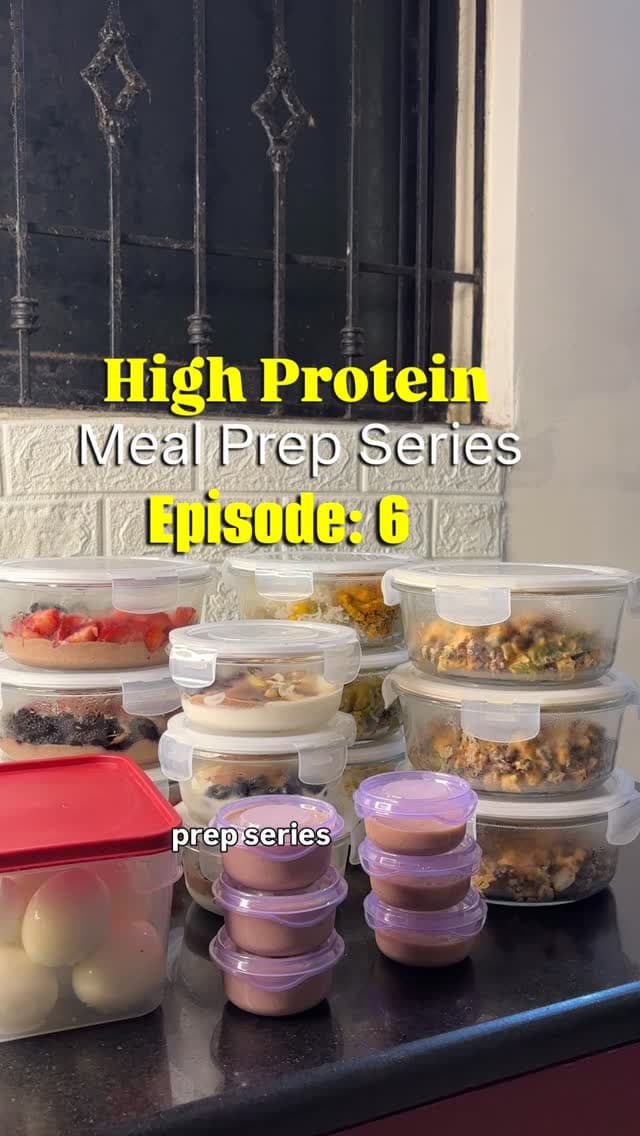
- Protein pancakes
- Greek yogurt bowls
- Egg muffins
offloadWhere did I park?
Near Lift C on Level 3. Saved today at 3:10 PM.
offload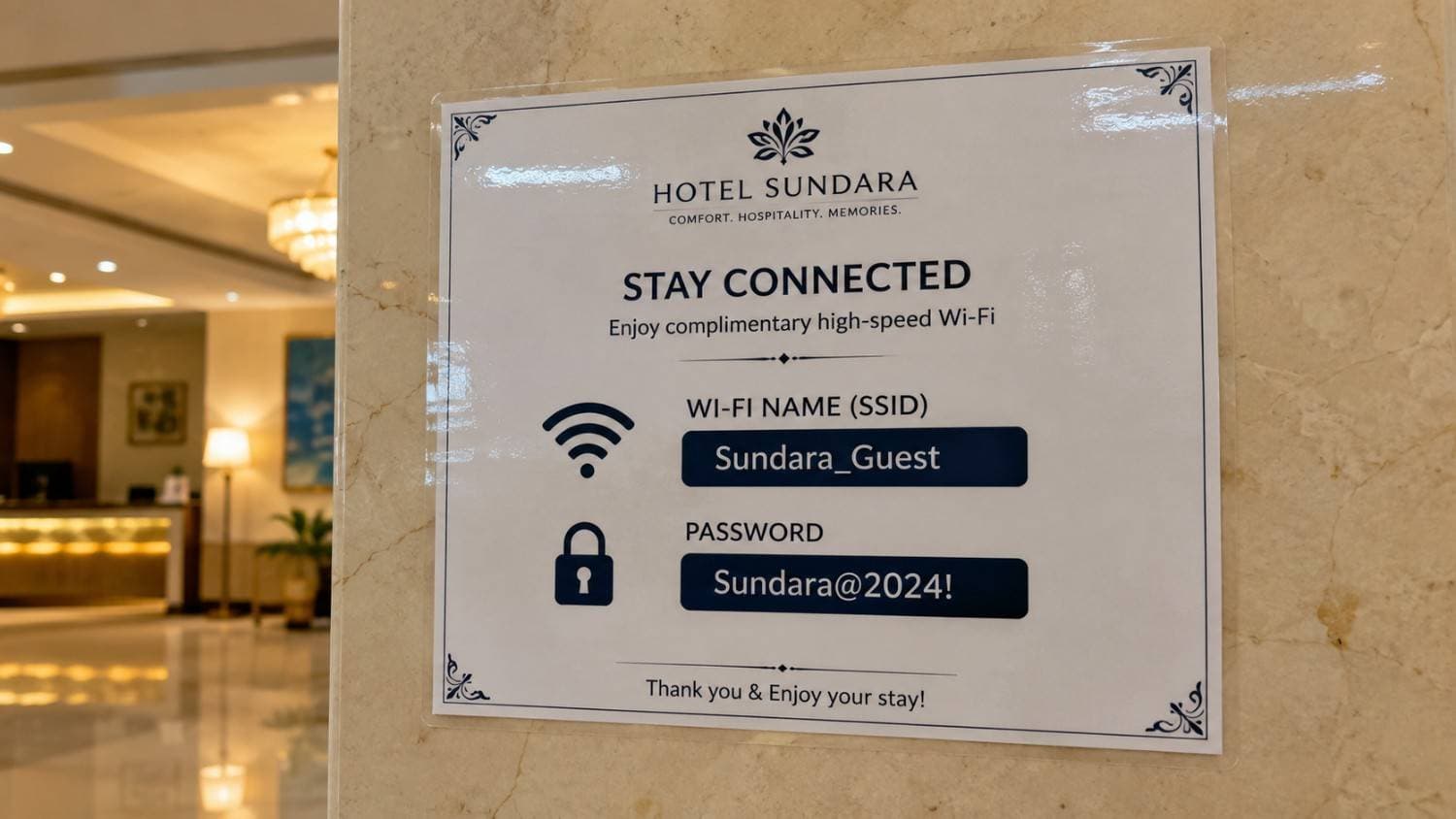
What do I need when I get to Bali?
I found these hotel details:
- Wi-Fi · Sundara@2024!
- Check-in after 2 PM
- Airport pickup confirmed
offloadHow should I prepare for my passport appointment?
I found three related things:
- Printed bank statement
- Passport-size photos
- Address proof photocopy
offloadAny headphone recommendations?
offloadWhat should I get Rohan for his birthday?
offloadWhat deadlines are coming up?
From your saved project documents:
- Wireframes · this Friday
- Review meeting · Monday
- Final assets · next Thursday
offloadAny ideas for training shoulders?
Overhead press, lateral raises, face pulls and rear-delt flyes. Saved last Tuesday.
offloadWhat does Dad need help with?
You promised Dad you’d help with:
- Renewing his car insurance this weekend
- Booking his annual car service
- Sending him the electrician’s number
offloadWhere did I keep my vaccination certificate?
In the blue folder in your bedroom drawer. Saved 11 Jul.
offloadWhere can I get a quiet coffee in Delhi?
offloadWhat ideas did I have last month?
You saved two ideas last month:
- Turn interviews into objection-based landing-page copy
- A grocery list that automatically groups items by store aisle
offloadWhen is my Regalia bill due?
Between the 4th and 14th. I also found:
- Statement closes on the 3rd
- Pay the Regalia bill
offloadWhat should I watch out for when I start investing?
I found advice from three memories:
- Trying to time the market
- Investing before an emergency fund
- Ignoring annual fund fees
Product principles
Zero friction
Save naturally. No folders, tags, or upfront organization.
Understands context
Connects your question to related memories, even when you use different words.
Living memory
Updates changing information instead of collecting stale duplicates.
Designed to disappear into your day-until the moment you need something back.
Your brain is for thinking, not remembering
Offload remembers, so your mind doesn't have to.
Right now the useful stuff is scattered-a screenshot here, a WhatsApp message there, a reel you'll never find again-and your memory is the only thing holding it together. Offload keeps it instead and hands it back the moment you ask.
Just say what's on your mind.
No syntax, commands, or perfect phrasing. Save a thought, find it later, or ask Offload to bring it up at the right time.
Think in your language.
Write memories and find them later in the language-or mix of languages-you naturally use.
- हिन्दी
- Hinglish
- Español
- العربية
- 中文
- தமிழ்
…and many more
Your memories are personal.
They deserve software that treats them that way.
Offload principle 001
A promise,
not a setting.
Trust should be part of how the product works-not something you have to configure.
Your data isn’t for sale
We don’t sell your personal information or use it for targeted advertising.
Your memories aren’t training material
We don’t use your memories to train our own AI models.
You stay in control
Delete individual memories or permanently delete your Offload account.
Clear about how it works
We explain how information is processed, retained, and protected-including important limitations.
What is Offload?
Offload is an AI memory assistant for Android. Save notes, links, screenshots, documents, and reminders, then ask a question in your own words to find what you saved.
Where is Offload available?
Offload is preparing for Google Play closed testing before a public Android release. Apply for the private beta on this website; selected testers receive an invitation by email.
What platforms are coming next?
An iOS app, a web app, and a Chrome extension are in development. We have not announced release dates yet, but we will share availability updates on this website.
Can I try Offload for free?
Yes. Eligible accounts can activate one 30-day Offload Pro trial without a payment card. Starting the trial does not create a subscription, and you are not automatically charged when it ends. Some Pro capabilities become limited or unavailable after the trial unless you purchase a subscription.
How do Offload subscriptions work?
Offload offers monthly and annual auto-renewing subscriptions through Google Play. You explicitly confirm any purchase, and Google Play shows the current price and billing period. Manage or cancel renewal through Google Play. Deleting your Offload account does not cancel a subscription.
Is Offload just another notes app?
No. Notes apps store information-Offload remembers it for you. Save anything naturally and later ask for it without remembering where or how you saved it.
What kinds of things can I save?
Almost anything: tasks, reminders, ideas, articles, reels, screenshots, documents, shopping items, travel plans, recommendations, meeting notes, or random thoughts.
Do I need to organize things into folders or tags?
No. Save things however they come to mind. Offload understands the context, organizes it behind the scenes, and lets you find it later by simply asking.
How do I find something later?
Ask “What should I read next?”, “Where should I eat in Jaipur?”, or “What do I need for my trip?” Offload brings together memories connected to your question. You do not need exact keywords, names, or the wording you saved.
Can Offload remind me about things too?
Yes. Create one-time or recurring reminders naturally, such as “Remind me to renew my passport in January” or “Remind me to water the plants every Sunday.”
Does it remember why I saved something?
Yes. Save a recipe link with “Cook this on weekdays.” Later, ask “What can I make for a quick dinner?” Offload connects your question to the saved recipe and other relevant memories without you repeating the note.
Can it search across everything I’ve saved?
Yes. A broad question can bring together related memories from your saved notes, links, screenshots, and documents. You do not need to remember which format you used.
What happens if I save a screenshot or document?
Offload extracts the useful information so you can retrieve it naturally later instead of digging through files.
Can I use Offload in languages other than English?
Yes. You can write and recall text memories in many languages like English, Hindi, Hinglish, Spanish, Arabic, Chinese, Tamil etc. Write naturally in the language-or mix of languages-you already use.
Is my data private?
Offload encrypts data in transit using secure network connections. We do not sell personal information or use personal content for targeted advertising. Your memories are not end-to-end encrypted: Offload and authorized providers process readable content for AI, storage, and search. Offload does not use your memories to train its own AI models or authorize providers to train general-purpose AI models on your content.
Why not just use ChatGPT?
ChatGPT is great for conversations. Offload is built for your personal memory: it holds onto things across days, weeks, and months, understands why you saved them, and proactively reminds you when needed.
Do I have to type in a special format?
No. Write or speak naturally, exactly the way you would ask another person.
Who is Offload for?
Anyone who keeps thinking “I’ll remember that”-busy professionals, students, founders, creators, parents, travelers, and more.
What if something changes?
Offload keeps your memory up to date. New information can replace outdated information instead of creating confusing duplicate memories.
Help shape a calmer way to remember.
Join the private beta.
A short guided application. No essay and no perfect answers required.
Use every available feature at no cost.
Your real workflows influence what gets built next.
Get priority onboarding and a closer feedback loop.
No spam. Every application is reviewed personally.
Checking your account…
This should only take a moment.
- 01Sign inSecure your application
- 02Tell us how you saveA short guided application
- 03Personal reviewHear from us on WhatsApp
We only use your answers to evaluate the beta and contact you about Offload.